At first glance, the Beeline Velo leaves you wondering if it’s going to deliver on its promise of simple navigation. However, once you’ve got the app installed on your phone and start trialling routes on the device, the wonderfully simple directional arrows on the small circular screen are all you really need to get from one place to another.
Lots of beefy data on the app, which can be teamed up with Strava, means you get a comprehensive dataset from each and every journey too. While some of the controls on the device itself seem a little counter intuitive, once you’ve got to grips with it the no-nonsense design of the Beeline Velo makes it a really practical solution for on-bike navigation, whether you’re riding a pushbike, electric bike, scooter or motorcycle.
It’s got a few quirks, with no off switch being the main irritation, but overall the design and build of the Beeline Velo leaves you feeling it’ll deliver a good few years of service.
Price and availability
The Beeline Velo was first released in 2017 but has had a makeover and upgrade for 2020. Its recommended retail price is £99 (about $120 / AU$180).
Design
Prior to powering it up for the first time the Beeline Velo is a rather nondescript disc-shaped chunk of plastic that’s somewhat reminiscent of a hockey puck, though seemingly less robust. It feels light, has the potential to be easily dropped and sports a circular screen and no obvious controls that give you any kind of inkling what to expect.

Get the power on though, and things quickly become clearer. There are small circles at the at each quarter of the face and these allow you to work your way through the different menus and options, which are shown in the middle of the screen.
Then Beeline Velo is, in essence, a simplified and very minimalistic bike computer, so once you’ve set up a route via the app on your smartphone, direction arrows are displayed in the centre of the circular screen. Other information, such as distance travelled for example, is also displayed. It’s a less-is-more approach that is practical because it doesn't distract you with too much information.
Setup
Getting started with the Beeline Velo did take us a while, not because of the supporting app, but the device itself is a bit confusing until you’ve fathomed how it ticks. After downloading the very impressive app to your phone, you need to pair it with the device. That bit was easy with no problems at all thanks to Bluetooth doing its job without fuss.
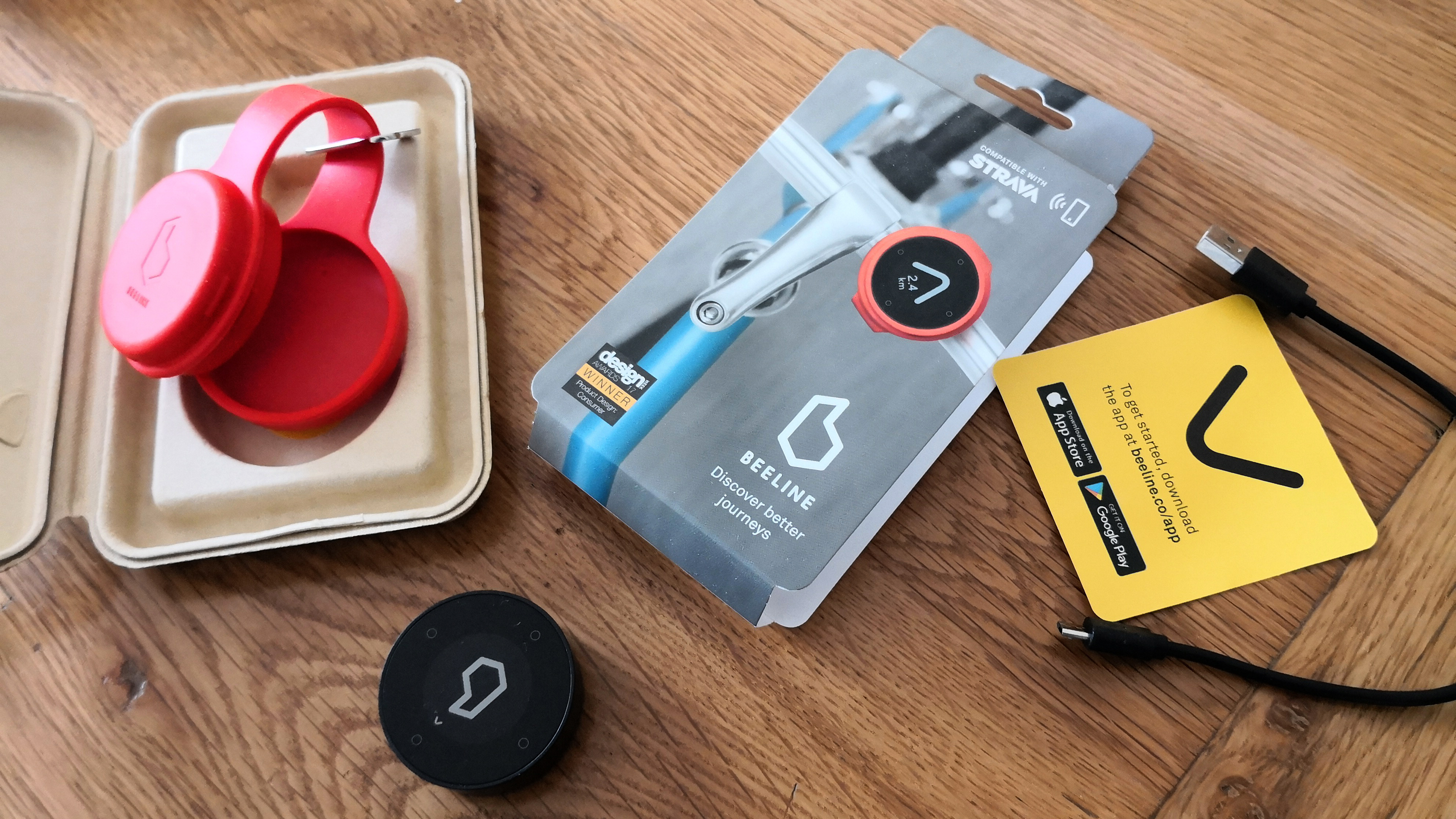
Charging the Beeline Velo is a cinch too as there’s a short cable in the box that allows you to connect it to the USB port on your laptop. It doesn't use much power and ours was charged in no time.
User experience
We got ourselves set up and running with the Beeline Velo prior to attaching it to the handlebars of our bike. The device comes with a rubberized circular protective case, that you pop the Beeline Velo in and out of if you need to charge it as the cable connector is hidden in the side.
You can use this case to cover the screen and put it in your pocket or bag for safekeeping before, during and after a ride if need be. To fix it onto your handlebars you’ll need to double-back the rubber strap and push the screen half into the other circular section.
Getting out on the road for the first time with the Beeline strapped to the handlebars took a little bit of getting used to, but once you’re in harmony with its directional arrows that move on the screen dynamically it becomes invaluable.
The way it works is actually incredibly simple, but it gets the job done to great effect. In fact, while the directional aspect of the device was largely faultless, we were more nervous about the Beeline Velo popping out of its rubberized strap and container combination. It attaches to your bike tightly, but we were left feeling slightly nervous that the tension around the bars might have been enough to make it pop off. It didn't, but the nervousness remained. There's a bracket in the box though that presumably lets you attach a lanyard, just in case it pops off if you go over a bump.
We found the app was really simple to use and the way it stores your journey data is undeniably practical. Connectivity and overall performance was hard to fault.
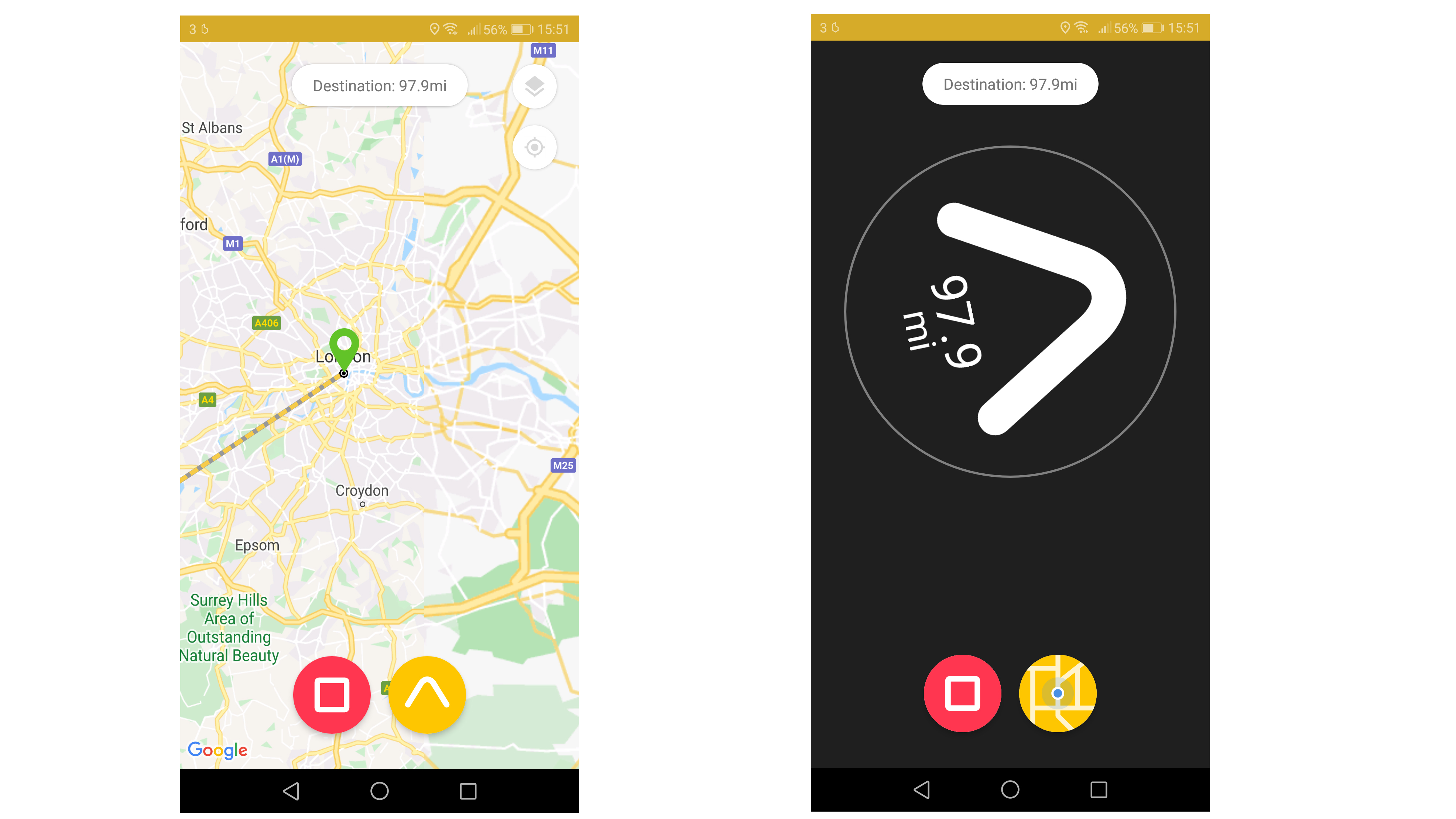
The way it adjusts dynamically to every move of your handlebars means the Beeline Velo is perfect for navigating really tricky routes such as town and city streets. Out on the open road, meanwhile, it just needs you to give it a cursory glance to check you’re on the right track.
Buy it if
Your needs are straightforward
This is a simple, water resistant navigational aid for any kind of journey, with around 30 hours of battery life.
You have bicycles, mopeds and motorcycles
You can use the Beeline Velo on any vehicle with two wheels.
You like to keep tabs on your journey data
It can be used in tandem with Strava, and works with iOS and Android devices. There’s a handy GPX file import capability too.
Don't buy it if
You want to save as much power as possible
It's slightly irritating that there’s no off button. The Beeline uses minimal power when it’s not in action, but still…
You insist on good looks
Despite the crisp and clear display the Beeline Velo doesn’t back up its brilliantly simple usefulness by making much of a style statement.
You want to be up and riding immediately
Although the app is great, the device itself seems a little counter-intuitive until you discover its charms. Oh, and that rubberized handlebar strap still leaves us feeling a little bit nervous.
- Check out our roundup of the best electric bikes
from Future - All the latest news https://ift.tt/2YF54PQ
Comments
Post a Comment